
Mobile App Development Beyond Framework Wars
A pragmatic look at modern mobile app development. Learn how architecture, logic sharing, server-driven UI, and delivery strategies matter more than framework choices.
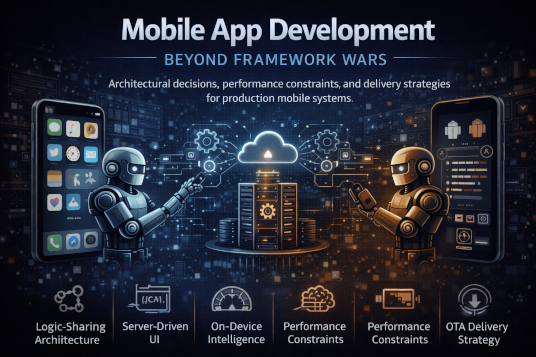
Mobile App Development Beyond Framework Wars
Architectural decisions, performance constraints, and delivery strategies for production mobile systems.
For more than a decade, mobile development conversations were dominated by a binary debate: Native or Cross-Platform? Teams argued passionately about bridge overhead in React Native, Skia rendering performance in Flutter, and the purity and fidelity of Swift and Kotlin. Conference talks, blog posts, and hiring strategies revolved around this decision as though it were the primary determinant of success.
By 2026, that war has effectively reached a stalemate. The industry has matured enough to recognize that “painting pixels” is no longer the bottleneck in production mobile systems. Modern frameworks—whether native or cross-platform—are sufficiently optimized for UI rendering in the vast majority of use cases. The real complexity lives elsewhere.
In real-world production environments, the success of a mobile product is determined less by how it renders a button and more by how it shares and governs business logic, how it avoids the deployment friction of app store approvals, how it integrates on-device intelligence responsibly, and how it manages performance across cold starts, battery budgets, and constrained networks.
The modern mobile architect’s role is no longer to win framework arguments. It is to design systems that scale technically, organizationally, and economically.
The Rise of Logic Sharing over UI Sharing
One of the most significant architectural shifts of the past few years has been the decoupling of shared logic from shared UI. Early cross-platform strategies often aimed to share everything—UI, business logic, state management, networking layers—under a single framework. While attractive from a cost perspective, this approach frequently led to compromise.
Teams attempting to force a single UI abstraction across iOS and Android often encountered what can best be described as the “uncanny valley” of mobile UX. Interactions felt subtly wrong. Animations lacked platform-native nuance. Accessibility behaviors diverged. Developers introduced platform-specific conditionals to patch inconsistencies, slowly eroding the original promise of unified code.
The realization in 2026 is pragmatic: users do not care about code reuse; they care about experience. Engineers, meanwhile, care about maintainability. The sweet spot lies not in sharing UI layers but in sharing the logic beneath them.
UI code is often less complex than the business rules it surfaces. The real sources of defects are data transformations, caching logic, synchronization flows, and error handling—areas that benefit most from consolidation and rigorous testing. Sharing logic while allowing UI to remain native preserves both developer productivity and user experience fidelity.
Kotlin Multiplatform (KMP) as the Industry Standard
Kotlin Multiplatform has emerged as a pragmatic answer to this architectural tension. Rather than forcing UI unification, KMP encourages sharing the domain and data layers while leaving presentation fully native.
Shared Core
In production architectures, the shared KMP module typically encapsulates networking, API clients, local persistence (often via SQLDelight), domain models, and state orchestration built with coroutines and Flow. This core becomes the canonical implementation of business logic.
Testing discipline improves significantly under this model. Instead of duplicating business logic tests across platforms, teams validate behavior once at the shared layer. Integration points are clearer. Regression risk decreases.
Native Shell
On the UI layer, teams leverage SwiftUI on iOS and Jetpack Compose on Android. This ensures platform fidelity, native animations, accessibility alignment, and OS-level integration. Because the UI layer becomes thinner, it is easier to reason about, refactor, and evolve.
However, this model breaks down when boundaries are poorly enforced. In 2026, high-performing teams treat the KMP module as a versioned internal library with a clearly defined API surface. Platform-specific code must not leak into the shared core. Violating this boundary reintroduces the same entanglement problems KMP was meant to solve.
Architecture discipline, not tooling alone, determines success.
Server-Driven UI (SDUI): Bypassing the App Store
One of the most persistent constraints in mobile development has always been deployment friction. Unlike web applications, mobile apps are gated by store approval processes and user update behavior. Bug fixes and feature iterations cannot be shipped instantly if they require binary changes.
The SDUI Pattern
Server-Driven UI (SDUI) emerged as a solution to this bottleneck. Instead of sending only raw data, backend services send structured descriptions of UI components to render.
The client contains a predefined catalog of native components—cards, banners, buttons, carousels. The server responds with a JSON schema describing layout structure and configuration. The app becomes a renderer of declarative UI definitions.
This pattern dramatically increases agility. Product teams can iterate on layouts, experiments, and content without forcing users to update the app. However, the complexity shifts from client code to contract governance.
Backward compatibility becomes critical. If a server introduces a new component type, older client versions must handle unknown schemas gracefully. Schema validation, version negotiation, and fallback strategies are mandatory. Without them, SDUI deployments can cause widespread crashes among users who have not updated in months.
SDUI is powerful—but only when paired with strict contract versioning and defensive parsing.
On-Device Intelligence and Performance Constraints
By 2026, the integration of Small Language Models (SLMs) and other on-device inference engines has become increasingly common. Features such as predictive suggestions, summarization, personalization, and lightweight image processing now run locally to reduce latency and preserve privacy.
However, this introduces a new category of constraints: thermal and battery budgets.
The Battery and Thermal Budget
Mobile devices are thermally constrained environments. Sustained heavy compute loads trigger thermal throttling, degrading performance and draining battery rapidly. Unlike server infrastructure, where scaling horizontally mitigates load, mobile apps must operate within strict hardware envelopes.
Inference workloads, particularly those involving transformer architectures, can consume significant CPU and GPU resources. Background agentic tasks—automated data organization, contextual reminders, or predictive flows—must be carefully scheduled via OS-level job schedulers such as WorkManager or BGTaskScheduler.
In production environments, battery impact is treated as a first-class metric. If an app increases average battery drain by more than a few percentage points relative to baseline usage, it risks negative reviews, OS-level throttling, or user uninstall behavior.
Performance engineering in 2026 extends beyond frame rates. It includes energy awareness.
The "Last Mile" of Performance: Cold Starts and Binary Size
Runtime performance matters, but user perception often hinges on startup behavior. Cold start latency remains one of the most visible quality signals in mobile apps.
Cold Start Optimization
As applications accumulate dependencies, startup initialization can silently degrade. Third-party SDKs—analytics, crash reporting, feature flags—are frequently initialized synchronously on the main thread, blocking UI rendering.
High-performance teams instrument startup traces meticulously. Initialization tasks are deferred, parallelized, or lazily loaded. On Android, App Bundles and dynamic feature modules ensure only essential code is downloaded initially. On iOS, aggressive pruning of static libraries and deferred initialization strategies reduce launch overhead.
Cold start time is not a cosmetic metric. It directly impacts retention.
Binary Size Management
Binary size awareness has resurged, particularly in emerging markets where storage and bandwidth remain constrained. Mature teams enforce binary size budgets in CI pipelines. Pull requests that significantly increase IPA or APK size trigger architectural review.
Large binaries slow downloads, increase churn during updates, and exacerbate cold start penalties due to larger symbol tables and asset bundles. Treating binary size as an engineering KPI prevents gradual bloat.
Delivery Strategies and Visual Regression
High-velocity mobile teams in 2026 operate with near-continuous delivery cycles. Manual QA as a primary validation mechanism no longer scales.
Automated Screenshot Testing
With SwiftUI and Jetpack Compose, UI state can be rendered deterministically in tests. Automated screenshot testing captures component snapshots across themes, languages, and device sizes.
CI systems compare these images against golden baselines. Even subtle pixel-level regressions are flagged before merge. This discipline allows large teams to evolve shared UI libraries confidently without introducing visual drift.
Visual regression testing transforms UI correctness from subjective review to measurable artifact comparison.
OTA (Over-The-Air) Updates
For hybrid stacks or embedded cross-platform modules, OTA updates provide the ability to patch logic without store re-submission. While powerful, this capability introduces governance risks.
At enterprise scale, OTA rollouts are staged. Updates are first deployed to small user percentages. Telemetry monitors crash rates, performance metrics, and behavioral anomalies. Kill switches allow instant rollback.
OTA is not a shortcut around architecture discipline. It is a deployment accelerator that must be governed carefully.
Conclusion: The Engineering Mindset for 2026
The “Framework Wars” obscured the deeper realities of mobile engineering. Choosing Swift versus Flutter was never the hardest problem. The true challenges involve state synchronization under unreliable networks, safe feature delivery across fragmented client versions, battery-aware computation, and contract integrity between server and device.
A senior mobile architect in 2026 prioritizes contracts over components. They design shared logic cores that are rigorously tested and platform-agnostic. They maintain UI layers that respect native conventions while remaining flexible through server-driven configuration. They treat battery impact and cold start time as architectural constraints, not afterthoughts.
Mobile development is no longer about mastering a specific DSL or UI toolkit. It is about managing a distributed system where one of the nodes resides in a user’s pocket, subject to unpredictable networks, thermal limits, and human expectations.
In the end, architecture—not framework allegiance—determines whether a mobile product scales gracefully or collapses under its own complexity.
Engineering Team
The engineering team at Originsoft Consultancy brings together decades of combined experience in software architecture, AI/ML, and cloud-native development. We are passionate about sharing knowledge and helping developers build better software.